


How to Add Yourself to Google Search?
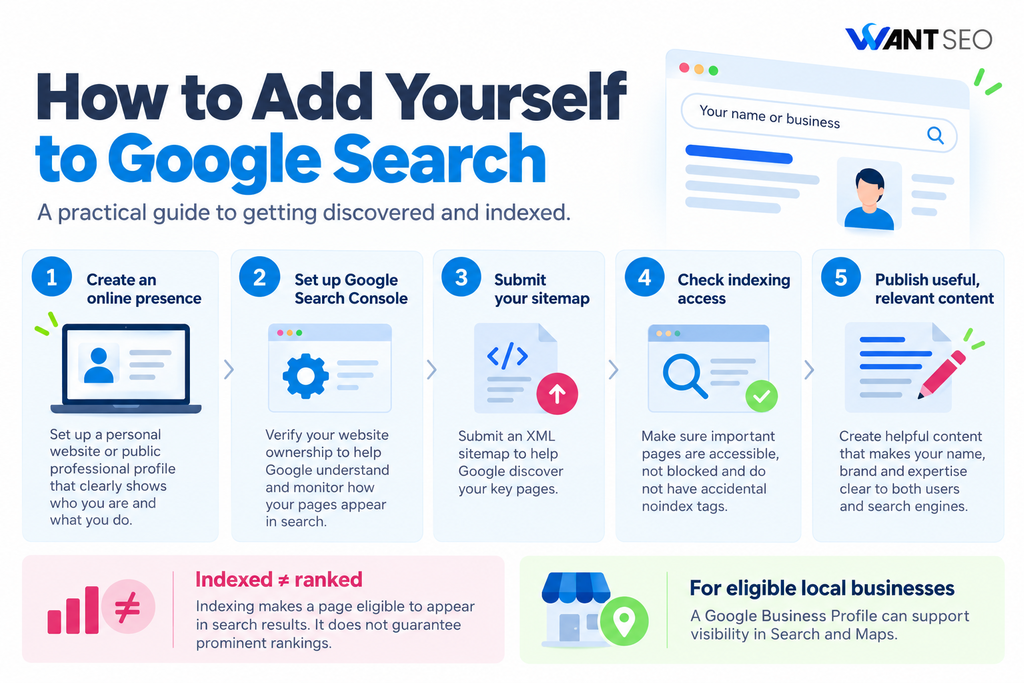
If you want your name, website or business to appear in Google search results, you need to make it easier for Google to discover, understand and index your information. For individuals, this might mean creating a personal website or professional profile. For businesses, it usually involves setting up a website, publishing useful content and establishing a clear online presence.
However, simply creating a website does not guarantee that Google will display it in search results. Your pages need to be accessible to search engines, provide useful information and meet Google’s technical requirements. It is also important to understand the difference between getting your website indexed and appearing prominently for relevant searches. Indexing makes your pages eligible to appear in search results, but their visibility depends on several factors, including relevance, content quality and competition.
In this guide, we explain how to add yourself to Google Search, whether you want to promote your personal brand, get your website indexed or make your business easier to find online. We will cover the practical steps you can take, from setting up Google Search Console to improving your website’s content and ensuring Google can access your pages.
1. Create a Website or Online Profile
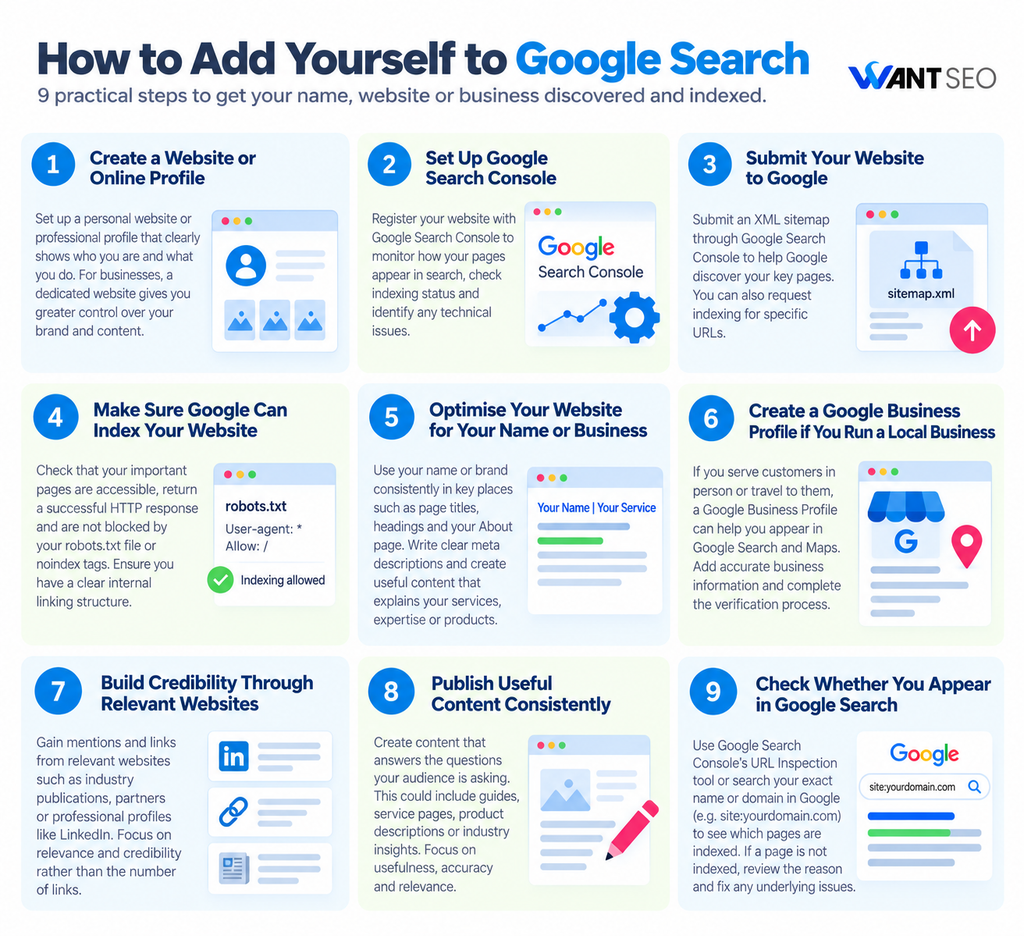
The first step is to establish an online presence that Google can discover. If you want your name to appear in search results, consider creating a personal website using your full name as the domain. You can include your professional background, experience, services, portfolio and contact information.
For businesses, a dedicated website provides greater control over how your brand appears in search results. It also allows you to publish content, optimise important pages and explain what your business offers. You can also create professional profiles on platforms such as LinkedIn, provided they accurately represent you and your experience. Public profiles may appear in Google Search when they are accessible to search engines and relevant to a user’s query.
The important point is to create a credible online presence that clearly identifies who you are and what you do. Avoid creating multiple low-quality profiles simply to increase your search visibility.
2. Set Up Google Search Console
If you own a website, one of the most useful steps is to register it with Google Search Console. Google Search Console is a free tool that helps website owners understand how their pages appear in Google Search. It provides information about indexing, search performance and certain technical issues that may prevent pages from appearing in search results.
To get started:
- Visit Google Search Console.
- Add your website as a property.
- Verify ownership using one of the available methods.
- Submit your XML sitemap if your website has one.
- Check the indexing reports to identify any issues.
You can access the tool through the official Google Search Console website.
Registering your website does not automatically improve rankings or guarantee indexing. It gives you a way to communicate with Google about your website and investigate how it is being crawled and indexed. For a new website, this is a sensible starting point because it helps you identify technical barriers before spending time creating more content.
3. Submit Your Website to Google
You do not need to submit every website manually to Google. Google can discover pages through links from other websites, existing indexed pages and XML sitemaps. However, you can help Google discover your website by submitting a sitemap through Google Search Console. An XML sitemap lists important URLs on your website and can help Google understand which pages are available for crawling.
Most modern content management systems, including WordPress, can generate XML sitemaps automatically. You can usually find yours at a URL such as yourdomain.com/sitemap.xml, although the exact location depends on your website platform.
Once you have located your sitemap, open Google Search Console and navigate to the Sitemaps section. Enter the sitemap URL and submit it. If you want Google to discover a specific page, use the URL Inspection tool in Search Console. Enter the page URL and check its indexing status. If the page is eligible for indexing, you can request indexing. Submitting a sitemap or requesting indexing does not guarantee that Google will index your pages. Google decides which URLs to crawl and include in its search results.
4. Make Sure Google Can Index Your Website
A website can exist online without appearing in Google Search. One possible reason is that search engines cannot access or index its pages properly. Before focusing on keywords or content, check whether your website has any technical barriers. Start by confirming that your important pages return a successful HTTP response and are accessible without requiring a login. Check that they are not accidentally blocked by your robots.txt file.
You should also look for a noindex directive. This tells search engines not to include a page in their search results. It can be useful for private or unimportant pages, but accidentally applying it to your homepage or key service pages can prevent them from being indexed. Your website should also have a clear internal linking structure. Link relevant pages together so that visitors and search engines can navigate your content easily.
For example, a personal website might link its homepage to an About page, portfolio and contact page. An eCommerce website might link category pages to relevant products and supporting buying guides. These checks help remove unnecessary barriers between your website and Google.
5. Optimise Your Website for Your Name or Business
Getting indexed is only part of the process. You also need to give Google clear information about what your website represents. If your goal is to appear when someone searches for your name, use your name consistently in relevant places, including your homepage title, main heading and About page. For a business, make sure your brand name, products, services and location, where relevant, are clearly explained.
Write descriptive page titles and meta descriptions that accurately reflect the content. For example, a freelance designer might use a title such as “Alex Smith | Freelance Web Designer in London”. This provides clearer context than a generic title such as “Home”.
You should also create useful content around the topics you want to be associated with. If you are a consultant, publish practical articles about your area of expertise. If you run an online shop, create helpful product descriptions, category content and buying guides. The aim is not to repeat your name or keywords unnecessarily. It is to make your identity and expertise clear to both users and search engines.
6. Create a Google Business Profile if You Run a Local Business
If you own a business that serves customers in person or travels to customers to provide services, a Google Business Profile can help you establish a local presence. Through your profile, you can provide information such as your business name, address or service area, opening hours, contact details and website.
To get started, visit Google Business Profile and follow the steps to add or claim your business. You may need to verify that you represent the business before managing its information. A Google Business Profile can help eligible businesses appear in Google Search and Google Maps. However, it is different from getting a website indexed in the organic search results. If you operate an online-only business without in-person customer contact, you may not be eligible for a Business Profile. Check Google’s eligibility requirements before creating one.
7. Build Credibility Through Relevant Websites
Google can discover your website through links from other websites. Relevant mentions and links can also help establish context around your name, brand or expertise. Start with opportunities that make sense for your situation. For example, professionals can maintain accurate LinkedIn profiles, contribute expert commentary to relevant publications or publish useful work on industry websites. Businesses can seek legitimate mentions from suppliers, partners, trade associations and relevant industry publications.
The emphasis should be on relevance and credibility, not the number of links you acquire. Avoid buying large quantities of links or creating unrelated profiles purely to manipulate search rankings. These activities do not provide a reliable foundation for long-term search visibility. For a new website, a few relevant references and a well-structured website are more sensible starting points than an aggressive link-building campaign.
8. Publish Useful Content Consistently
If you want your name or business to become more visible in Google Search, create content that answers the questions your intended audience is actually asking. For example, a financial consultant might publish guides about budgeting or financial planning. An eCommerce brand selling skincare products might create useful content about ingredients, product selection and skincare routines. Each page should have a clear purpose. It should answer a question, explain a service or help someone make a decision.
Before creating a new page, consider whether the information already exists elsewhere on your website. Improving an existing page may be more valuable than publishing another article covering the same topic. There is no requirement to publish content every day. Focus on usefulness, accuracy and relevance rather than content volume. Over time, a well-organised collection of useful pages can help Google understand your website’s subject matter and give visitors more reasons to discover your brand.
9. Check Whether You Appear in Google Search
After completing these steps, check whether Google has indexed your website or profile. For a website, enter your domain into Google Search Console’s URL Inspection tool. It will show whether Google knows about the URL and whether it is indexed. You can also search Google using your exact name, business name or website domain. A search such as site:yourdomain.com can help you identify pages that Google has indexed, although it does not provide a complete or definitive indexing report.
If your website does not appear immediately, do not assume something is wrong. Discovery and indexing can take time, particularly for new websites with few external links. Use Search Console to investigate specific problems rather than repeatedly submitting the same URLs. If Google reports that a page is not indexed, review the reason provided. The issue could involve a technical restriction, a redirect, duplicate content or Google’s decision not to index the page. Address the underlying issue before requesting another crawl.
Turn Indexing into Actual Rankings & Traffic with Want SEO
Getting indexed by Google is only the first step to adding your website or yourself to Google Search. Appearing on page one for competitive searches requires a proactive, strategic Search Engine Optimization (SEO) approach. If you want your personal brand or business to consistently rank above competitors, attract qualified traffic, and drive meaningful growth, here is how professional SEO can elevate your presence:
- In-Depth Keyword & Intent Research: Target the specific search queries your target audience is actively using, ensuring your content fulfils user intent.
- Technical SEO Audits & Optimisations: Fix underlying site speed bottlenecks, mobile usability issues, structured data (schema markup), and crawlability roadblocks.
- Strategic On-Page Optimisation: Fine-tune headings, internal link structures, content depth, and metadata to signal maximum authority to Google’s algorithms.
- High-Authority Link Building: Earn high-quality, industry-relevant backlinks that build trust and elevate your domain’s online authority.
- Local SEO Dominance: Optimise your Google Business Profile and local citations to capture high-intent customers in your area.
Ready to grow your search visibility?
Whether you need a technical audit, a tailored content strategy, or full-service SEO management, Contact Us Today to unlock your website’s full organic search potential.
Conclusion
Adding yourself to Google Search starts with establishing a credible online presence and making it accessible to search engines. Create a website or professional profile, set up Google Search Console, submit your sitemap and check that important pages can be indexed. Then improve your page titles, publish useful content and build relevant connections with other websites.
If you run a local business, a Google Business Profile may also help customers discover you. Remember that being indexed and ranking prominently are two different things. Google may discover your website without showing it prominently for the searches that matter to you. Rather than focusing solely on getting your name into Google, concentrate on making your website useful, trustworthy and relevant to the people you want to reach.
FAQs
1. How do I add my name to Google Search?
Create a personal website or public professional profile, use your name consistently and ensure the pages are accessible to search engines. Google may index them if they meet its requirements.
2. Is it free to add my website to Google Search?
Yes. You can use Google Search Console and submit an XML sitemap for free. You do not need to pay Google to have eligible website pages considered for indexing.
3. How long does it take for Google to index my website?
There is no fixed timeframe. Indexing may take days or longer, depending on factors such as website accessibility, discoverability and Google’s indexing decisions.
4. Why is my website not showing up on Google?
Possible reasons include technical restrictions, a noindex directive, insufficient discovery signals, or Google deciding not to index the page. Google Search Console can help you investigate.
5. Can I pay Google to show my website in search results?
You can pay for Google Ads placements, but these are advertisements rather than organic search results. Paying for ads does not guarantee organic indexing or higher organic rankings.
6. How can I make my business appear on Google Maps?
If your business meets Google’s eligibility requirements, create or claim a Google Business Profile, provide accurate business information and complete the required verification process.



