
Want SEO
What Is Google Webmaster Tools? A Complete Guide for Website Owners
If you have been researching SEO or looking for ways to improve your website’s visibility on Google, you may have come across the term Google Webmaster Tools. It was once one of Google’s main platforms for helping website owners understand how their websites appeared in search results, identify technical issues and monitor search performance. Although the name is no longer used, the platform itself has evolved rather than disappeared. Google Webmaster Tools was renamed Google Search Console in 2015, with the aim of making it more relevant to a wider range of website users, including business owners, developers, marketers and SEO professionals.
Today, Google Search Console provides information about how Google discovers, crawls, indexes and displays website pages in search results. It helps you understand which pages are performing well, where indexing problems may exist and what improvements could make your website more accessible to search engines.
In this guide, we explain what Google Webmaster Tools is, why it was renamed, how it works and how you can use its features to make better SEO decisions.
What Is Google Webmaster Tools?
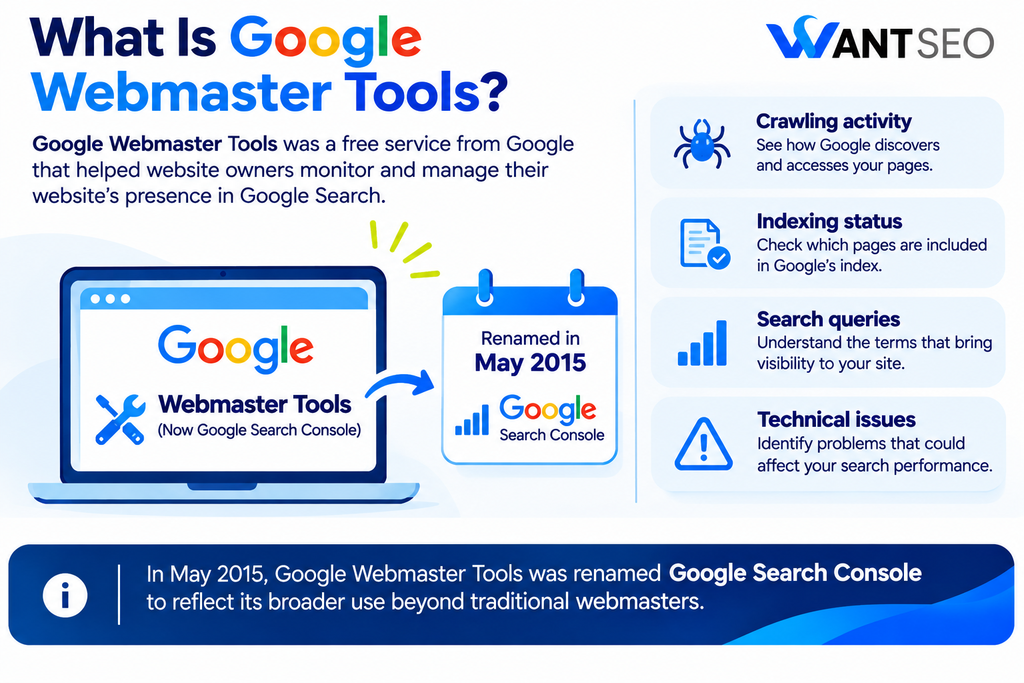
Google Webmaster Tools was a free service provided by Google to help website owners monitor and manage their websites’ presence in Google Search. It provided information about how Google interacted with a website, including crawling activity, indexing status, search queries and technical issues that could affect visibility.
The platform was particularly useful for identifying problems that were not always obvious when browsing a website normally. For example, a website might look perfectly functional to visitors while Google was experiencing difficulties accessing certain pages or processing its content. Google Webmaster Tools helped website owners investigate these issues and understand how their websites were being interpreted by the search engine.
In May 2015, Google renamed the platform Google Search Console. The change reflected the growing range of people involved in managing websites and the fact that the platform was no longer intended only for traditional webmasters. Although the name has changed, people still use the term Google Webmaster Tools when referring to Google Search Console.
Is Google Webmaster Tools the Same as Google Search Console?
Yes. Google Webmaster Tools is the former name of Google Search Console. Google introduced the new name in 2015 to better reflect the different people who use the platform. Website owners, developers, SEO specialists, business owners and marketing teams all need information about how their websites perform in Google Search. The platform has continued to develop since the rebrand, with additional reports and features for monitoring search performance, indexing, website experience and structured data.
| Area | Google Webmaster Tools | Google Search Console |
| Name | Former platform name | Current platform name |
| Main purpose | Monitor website presence in Google Search | Monitor and improve website search performance |
| Search data | Search queries and website visibility | Clicks, impressions, CTR and average position |
| Technical monitoring | Crawling and indexing information | Indexing, URL inspection and technical reports |
| Main users | Traditionally referred to as webmasters | Website owners, developers, marketers and SEO professionals |
If someone asks you to set up Google Webmaster Tools today, they are referring to Google Search Console.
What Does Google Webmaster Tools Do?
Google Search Console provides several features that help website owners understand how their websites interact with Google Search. Rather than focusing only on keyword rankings, it provides information about the technical and performance factors that influence how pages are discovered and displayed. Its main functions include the following.
1. Monitors Website Performance in Google Search
Google Search Console shows how your website performs in organic Google Search results. You can review how many clicks and impressions your pages receive, which search queries generate visibility and how your average click-through rate changes over time. For example, an eCommerce business may discover that a particular product category receives thousands of impressions but relatively few clicks. This could indicate an opportunity to review the page title, search snippet or alignment between the page and the queries generating impressions.
The Performance report allows you to investigate these patterns by individual queries, pages, countries and devices.
2. Helps Identify Indexing Problems
For a webpage to appear in Google’s search results, it generally needs to be discovered, crawled and indexed. Google Search Console provides reports that help you understand which pages have been indexed and which have been excluded. For example, you may discover that important product pages are not indexed because of an incorrect noindex directive, a crawling issue or another technical problem. Not every excluded URL represents an error. Duplicate pages, redirected URLs and pages intentionally excluded from indexing may be behaving exactly as intended.
The important part is understanding why a page has not been indexed and whether that decision supports your website’s SEO strategy.
3. Identifies Technical Website Issues
Google Search Console helps identify certain technical problems that may affect how Google accesses or understands your website. Depending on the issue, reports may highlight problems involving indexing, crawling, structured data, Core Web Vitals or security. For example, if Google encounters a server error when trying to access an important page, that information can help your development team investigate the underlying problem.
The platform does not replace a complete technical SEO audit, but it provides useful evidence about issues Google has encountered.
4. Helps Monitor Website Experience
Google Search Console includes the Core Web Vitals report, which provides information about real-world page experience. It focuses on three key metrics:
- Largest Contentful Paint (LCP): Measures how quickly the main content of a page loads.
- Interaction to Next Paint (INP): Measures how responsive a page is to user interactions.
- Cumulative Layout Shift (CLS): Measures unexpected movement of page elements while loading.
These metrics can help website owners identify pages where loading performance, responsiveness or visual stability may need improvement. For eCommerce businesses, this matters because customers need to browse products, select options and complete purchases without unnecessary delays or interruptions.
5. Provides Information About Website Links
The Links report shows information about external and internal links that Google has identified. External links are links from other websites pointing towards your pages. Internal links connect different pages within your own website. Reviewing this information can help you understand which pages attract links and how your website’s internal structure connects important content.
For example, if a valuable category page has very few internal links, you may want to review whether relevant blog articles, buying guides or related categories should link to it. However, the report is not a complete list of every link on the internet and should not be treated as a direct measure of link quality.
How to Set Up Google Webmaster Tools (Google Search Console)
If you have never used Google Search Console, setting it up is relatively straightforward. You need a Google account and access to your website or domain settings to complete the verification process.
Step 1. Visit Google Search Console
Open Google Search Console and sign in using your Google account. If you are using the platform for the first time, you will be asked to add a property representing the website you want to monitor.
Step 2. Add Your Website
Google provides two property options: Domain property: Covers the entire domain, including its subdomains and different protocols, such as HTTP and HTTPS.
URL-prefix property: Covers only URLs that begin with the specific address you enter.
For example, adding https://www.example.com/ as a URL-prefix property does not automatically include https://example.com/.
A Domain property is generally useful when you want a complete overview of your website across different subdomains and protocols.
Step 3. Verify Website Ownership
Google needs to confirm that you have permission to access the website’s information. The verification method depends on the property type. For a Domain property, Google generally requires you to add a DNS record through your domain provider.
For a URL-prefix property, available methods may include uploading an HTML file, adding an HTML tag or using an existing Google Analytics or Google Tag Manager setup. Follow the instructions provided by Google to complete verification.
Step 4. Submit Your XML Sitemap
Once your property is verified, you can submit your XML sitemap through the Sitemaps report. A sitemap provides Google with a list of important URLs that you want it to discover. For example:
https://www.example.com/sitemap.xml
The actual sitemap address depends on your website platform and configuration. Submitting a sitemap does not guarantee that every URL will be crawled or indexed. It simply helps Google discover the pages included in it.
Step 5. Explore Your Search Console Reports
After setup, familiarise yourself with the main reports. Start with the Performance report to understand search visibility, the Page Indexing report to review indexing status and URL Inspection to investigate individual pages. You do not need to analyse every report immediately. Begin with the information most relevant to your website and business objectives.
Google Webmaster Tools Features You Should Know
Google Search Console includes several reports and tools. Understanding their purpose will help you use the platform more effectively.
Performance Report
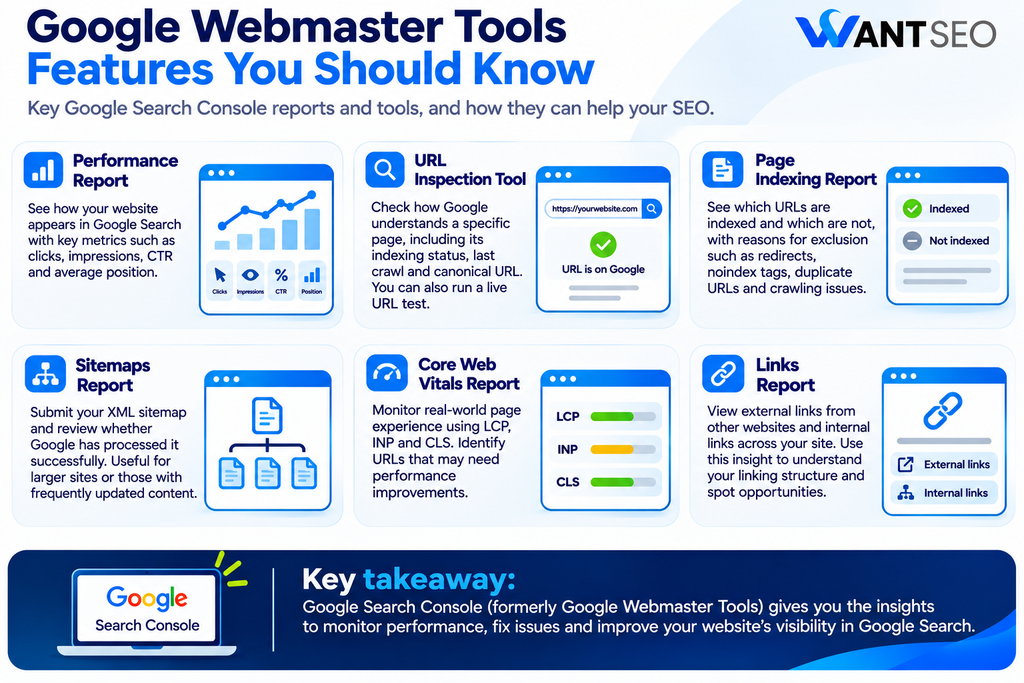
The Performance report provides information about how your website appears in Google Search. It includes four main metrics:
- Total clicks: How many times users clicked your website in Google Search results.
- Total impressions: How many times your website appeared in search results.
- Average CTR: The percentage of impressions that resulted in clicks.
- Average position: The average position of your highest-ranking result across the selected search data.
You can use these metrics to identify pages receiving search visibility, investigate changes in organic clicks and understand which queries are associated with your website.
URL Inspection Tool
The URL Inspection tool allows you to check how Google understands an individual page. Enter a URL to review its reported indexing status, last crawl information and selected canonical URL. You can also run a live URL test to check whether Google can access the page as it currently exists.
This is useful when publishing new content, updating important pages or investigating unexpected indexing problems.
Page Indexing Report
The Page Indexing report shows which URLs Google has indexed and which have not been included. It provides information about reasons for exclusion, such as redirects, noindex directives, duplicate URLs and crawling issues. Use this report to identify problems affecting important pages rather than trying to index every URL on your website.
Sitemaps Report
The Sitemaps report allows you to submit XML sitemaps and review whether Google has processed them successfully. It is particularly useful for websites with large numbers of pages, frequently updated content or extensive product catalogues.
Core Web Vitals Report
This report provides information about real-world page experience using LCP, INP and CLS. It helps identify groups of URLs that may need performance improvements, although additional testing is usually required to understand the underlying causes.
Links Report
The Links report provides information about external websites linking to your pages and the internal links connecting your own content. It can help you understand your website’s linking structure and identify potential opportunities to improve internal navigation.
What Is the Difference Between Google Webmaster Tools and Google Analytics?
Google Search Console and Google Analytics are both useful for understanding website performance, but they focus on different stages of the user journey. Google Search Console provides information about what happens in Google Search before someone visits your website. Google Analytics focuses on what visitors do after arriving.
For example, Search Console can show that a product category page received 5,000 impressions and 250 clicks from Google Search. Google Analytics can help you understand what those visitors did afterwards, including which pages they viewed, how long they engaged with the website and whether they completed a purchase.
| Area | Google Search Console | Google Analytics |
| Main purpose | Monitor performance in Google Search | Analyse website and user activity |
| Clicks | Reports clicks from Google Search | Reports sessions and other acquisition data |
| Search queries | Provides organic search query information | Does not provide the same complete query-level data |
| Indexing | Provides indexing reports | Does not provide Google indexing reports |
| User behaviour | Limited information about activity after the click | Tracks interactions and conversions |
| Main use | Understand search visibility and technical issues | Understand website engagement and business outcomes |
Using both platforms together gives you a broader understanding of website performance. Search Console helps explain how people discover your website, while Analytics helps explain what happens after they arrive.
How Can SEO Professionals Use Google Webmaster Tools?
For SEO professionals, Google Search Console is more than a reporting platform. It can support research, technical investigations and decisions about where to prioritise optimisation work.
Identify Pages With High Impressions but Low Clicks
Review the Performance report to identify pages that appear frequently in search results but receive relatively few clicks. Investigate whether their titles, descriptions and content accurately reflect the queries generating impressions. Not every low CTR is a problem. Search intent, search features and query type can all influence click behaviour. Review the context before making changes.
Find Content Opportunities
Search Console can reveal queries that generate impressions for existing pages, including searches you may not have specifically targeted. These queries can help identify related questions, missing information and opportunities to improve content.
For example, if a product category page receives impressions for searches about product comparisons, you may discover an opportunity to add useful comparison information or create a supporting buying guide.
Investigate Indexing Issues
Use the Page Indexing report and URL Inspection tool to investigate important pages that are not appearing in search results. For large websites, this can help prioritise problems affecting product pages, category pages and other commercially important URLs.
Monitor Performance After Website Changes
If you redesign your website, change URLs, update content or implement technical improvements, Search Console can help you monitor what happens afterwards. Compare relevant performance periods and review indexing reports to identify unexpected changes.
Remember that search performance can be influenced by seasonality, competition and wider changes in search behaviour. Do not automatically attribute every movement to a recent website update.
Common Google Webmaster Tools Mistakes to Avoid
Although Google Search Console provides useful information, misunderstanding its reports can lead to unnecessary work.
- Assuming every excluded page is an issue: Some URLs should not be indexed. Redirects, duplicate pages and intentionally excluded content may be behaving correctly.
- Treating average position as an exact ranking: Average position is calculated across the selected reporting data. It can vary depending on queries, devices, locations and search appearances.
- Requesting indexing repeatedly: Submitting a URL for indexing does not guarantee that Google will index it. Make sure the page is accessible and technically eligible before requesting a recrawl.
- Focusing only on clicks and impressions: Search visibility is useful, but it does not automatically translate into revenue. Combine Search Console information with conversion and analytics data to understand commercial performance.
- Ignoring technical issues: Content improvements alone cannot resolve every SEO problem. Crawling, indexing, website accessibility and page experience also deserve attention.
How Want SEO Can Help You Get More From Google Search Console
Google Search Console provides a considerable amount of information, but knowing which reports to focus on and what actions to take is often more challenging. At Want SEO, we use search data to understand website performance in its wider commercial context. Rather than treating every warning, ranking movement or impression change as a reason to make adjustments, we investigate what the information actually means for your business. Our approach can help you:
- Review search performance: Identify the queries and pages generating relevant organic visibility.
- Investigate indexing issues: Understand why important pages may not be appearing in Google Search.
- Identify content opportunities: Find relevant queries and improve existing content where it can better meet customer needs.
- Assess technical performance: Investigate crawling, indexing and website experience issues.
- Improve internal linking: Identify opportunities to connect important pages and support website navigation.
- Prioritise SEO improvements: Turn Search Console findings into a practical action plan based on commercial value.
We bring SEO, CRO and wider website strategy together to help ensure that improvements support more than search visibility alone.
Want to understand what your website’s search data is telling you? Explore our SEO services or eCommerce SEO services to discuss where your website should focus next.
Conclusion
Google Webmaster Tools is the former name of Google Search Console, a free platform that helps website owners understand how their websites perform in Google Search. Although the name has changed, its purpose remains relevant. It provides information about search visibility, indexing, technical issues and the way Google interacts with website content. For businesses and SEO professionals, the real value comes from using this information to identify meaningful opportunities and prioritise improvements.
Rather than focusing on every available metric, concentrate on the pages, queries and technical issues that matter most to your website. Combine Search Console with analytics and commercial data to understand whether your SEO efforts are supporting the wider objectives of your business.
FAQs
1. Is Google Webmaster Tools still available?
Google Webmaster Tools was renamed Google Search Console in 2015. The platform is still available, but it now operates under the Google Search Console name.
2. Is Google Webmaster Tools free?
Yes. Google Search Console is free to use. Website owners can verify their properties and access its search performance, indexing and technical reports without paying a subscription fee.
3. What is the main purpose of Google Webmaster Tools?
Its main purpose is to help website owners monitor how Google discovers, crawls, indexes and displays their website pages in search results.
4. How do I access Google Webmaster Tools?
Visit Google Search Console, sign in with your Google account, add your website as a property and complete the ownership verification process.
5. Does Google Webmaster Tools improve website rankings?
No. Using Google Search Console does not directly improve rankings. However, the information it provides can help you identify and address issues that may affect your website’s search performance.
6. What is the difference between Google Webmaster Tools and Google Analytics?
Google Search Console focuses on search visibility, indexing and performance in Google Search. Google Analytics focuses on visitor behaviour and interactions after people arrive on your website.